Download our apps & Start learning now
Download Now



Loading blogs…


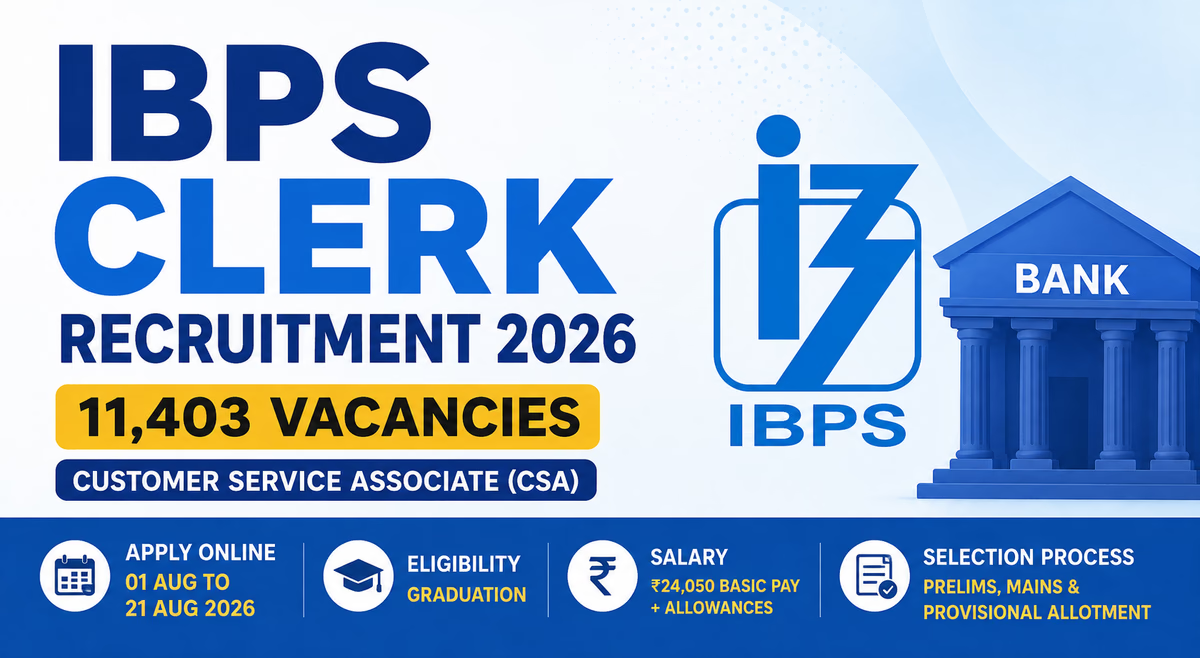
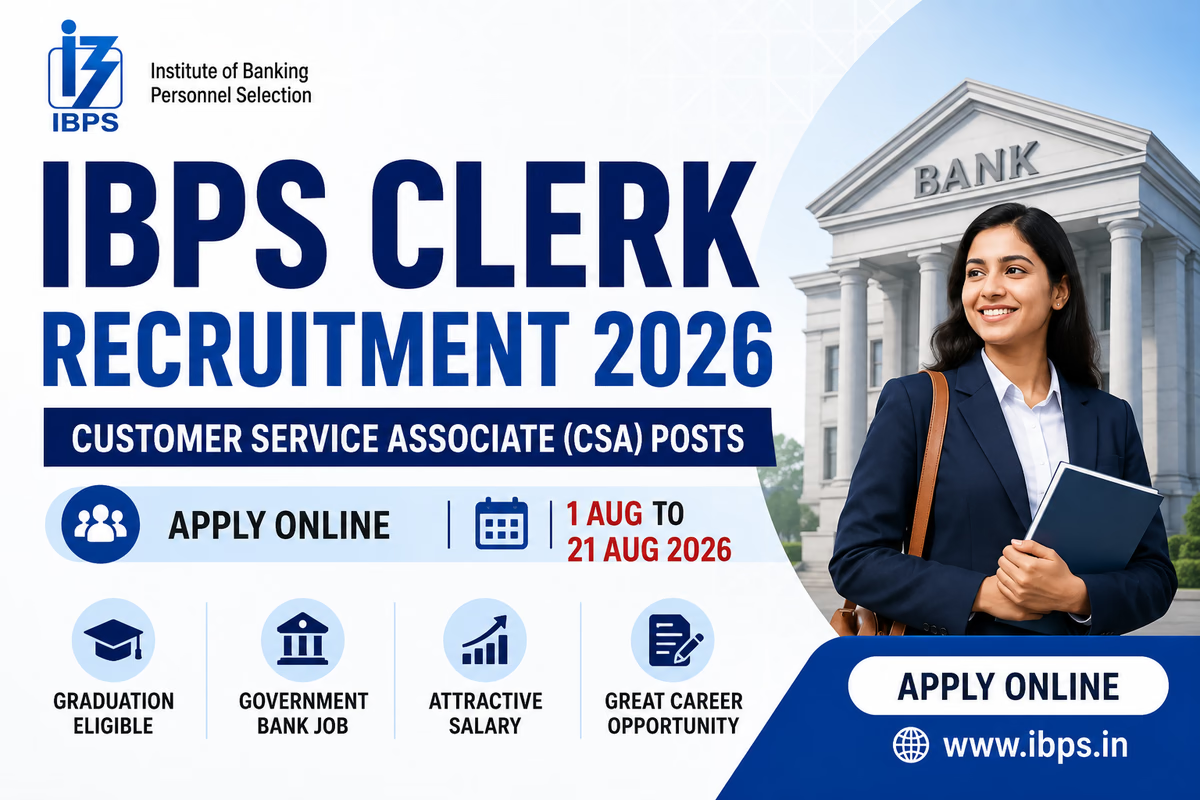
The Institute of Banking Personnel Selection (IBPS) has officially released the IBPS Clerk Recruitment 2026 Notification for 11,403 Customer Service Associate (CSA) vacancies in participating Public Sector Banks across India. Earlier known as the IBPS Clerk post, the position has now been renamed as Customer Service Associate (CSA). The online application process started on 01 August 2026 and will remain open until 21 August 2026.
This is an excellent opportunity for graduates seeking a stable banking career with attractive salary, allowances, promotion opportunities, and job security.
| Particulars | Details |
|---|---|
| Organization | Institute of Banking Personnel Selection (IBPS) |
| Exam Name | CRP CSA-XVI |
| Post Name | Customer Service Associate (Clerk) |
| Total Vacancies | 11,403 |
| Application Mode | Online |
| Registration Dates | 01 August 2026 to 21 August 2026 |
| Job Location | Across India |
| Selection Process | Prelims, Mains & Provisional Allotment |
| Official Website | www.ibps.in |
IBPS has announced 11,403 vacancies for Customer Service Associate (CSA) posts in various participating public sector banks. Vacancies are distributed state-wise and category-wise across India.
| Event | Date |
|---|---|
| Notification Release | 01 August 2026 |
| Online Application Start | 01 August 2026 |
| Last Date to Apply Online | 21 August 2026 |
| Last Date for Fee Payment | 21 August 2026 |
| Preliminary Exam | October 2026 |
| Main Exam | December 2026 |
| Provisional Allotment | March 2027 |
Candidates must possess:
| Category | Relaxation |
|---|---|
| SC/ST | 5 Years |
| OBC (Non-Creamy Layer) | 3 Years |
| PwBD | 10 Years |
| Ex-Servicemen | As per Government Rules |
| Category | Fee |
|---|---|
| SC/ST/PwBD | ₹175 |
| General/OBC/EWS | ₹850 |
The application fee must be paid online through Debit Card, Credit Card, Net Banking, UPI, or other available payment methods.
Selected candidates will receive:
Depending on the city of posting and allowances, the monthly package can go significantly higher.
The IBPS Clerk Recruitment 2026 selection process consists of:
| Section | Questions | Marks |
|---|---|---|
| English Language | 30 | 30 |
| Numerical Ability | 35 | 35 |
| Reasoning Ability | 35 | 35 |
| Total | 100 | 100 |
Duration: 60 Minutes
| Section | Questions | Marks |
|---|---|---|
| General/Financial Awareness | 40 | 50 |
| General English | 40 | 40 |
| Reasoning Ability & Computer Aptitude | 50 | 60 |
| Quantitative Aptitude | 50 | 50 |
| Total | 180 | 200 |
Duration: 160 Minutes
There is no interview in IBPS Clerk recruitment. Final selection is based on performance in the Main Examination and subsequent provisional allotment.

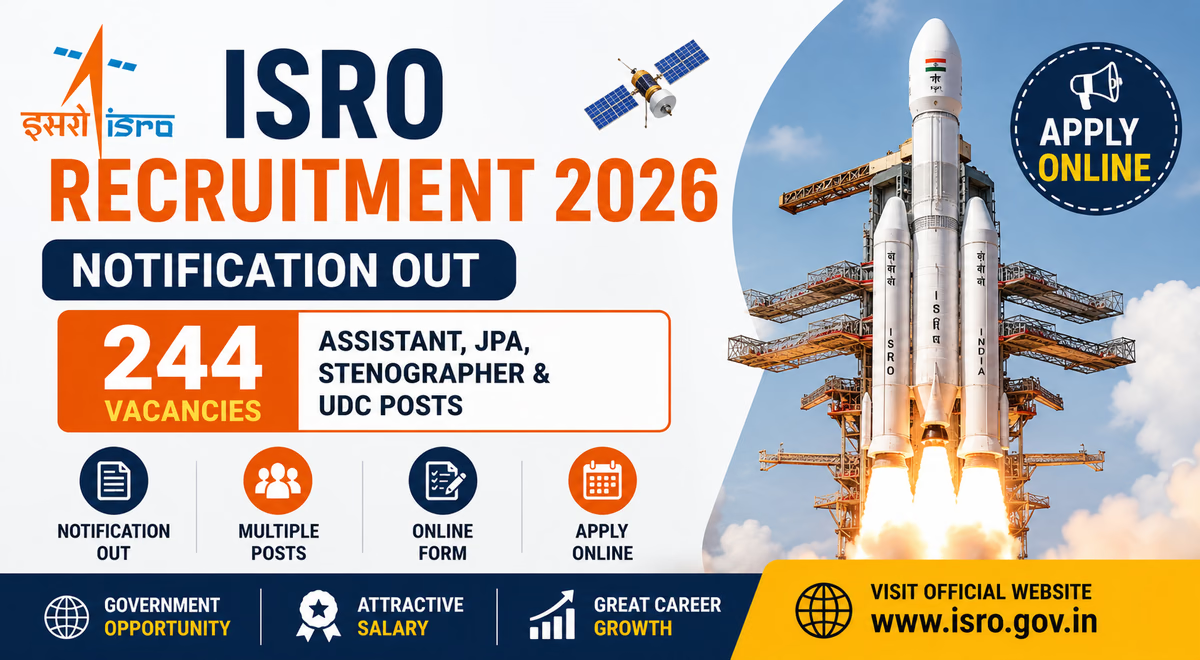
The Indian Space Research Organisation (ISRO), through the ISRO Centralised Recruitment Board (ICRB), has officially released the ISRO Recruitment 2026 Notification for 244 vacancies. The recruitment drive invites online applications for the posts of Assistant, Junior Personal Assistant (JPA), Upper Division Clerk (UDC), and Stenographer across various ISRO Centres and Department of Space units in India. The online application process commenced on 27 July 2026 and will remain open until 16 August 2026.
| Particulars | Details |
|---|---|
| Organization | Indian Space Research Organisation (ISRO) |
| Recruitment Board | ISRO Centralised Recruitment Board (ICRB) |
| Advertisement No. | ISRO:ICRB:01(A-JPA):2026 |
| Posts | Assistant, JPA, UDC & Stenographer |
| Total Vacancies | 244 |
| Application Mode | Online |
| Online Application Start Date | 27 July 2026 |
| Last Date to Apply | 16 August 2026 |
| Job Location | Various ISRO Centres Across India |
| Official Website | ISRO |
ISRO has announced a total of 244 vacancies for administrative and stenographic positions. The recruitment includes the following posts:
Selected candidates may be posted at various ISRO Centres, Department of Space units, and autonomous bodies located across the country.
Candidates applying for the recruitment must possess:
Candidates are advised to refer to the official notification for detailed category-wise age relaxation provisions.
The selection process is expected to consist of:
The skill test will be qualifying in nature for the relevant posts.
| Post Name | Vacancies |
|---|---|
| Assistant (ISRO Centres) | 113 |
| Junior Personal Assistant (JPA) | 81 |
| Upper Division Clerk (UDC) | 22 |
| Stenographer | 10 |
| Assistant (Autonomous Bodies under DOS) | 17 |
| Junior Personal Assistant (Autonomous Bodies under DOS) | 1 |
| Total | 244 |
The vacancies are distributed across various ISRO Centres, Department of Space units, and Autonomous Bodies located throughout India.
| Category | Fee Details |
|---|---|
| All Candidates | ₹500 Processing Fee |
| Effective Application Fee | ₹100 |
| Refund | Balance amount refunded as per notification rules after appearing in the written test |
The application fee must be paid online through the Bharatkosh e-Payment Gateway
Selected candidates will be placed in Level-4 of the Pay Matrix along with admissible allowances as per Central Government norms. Employees will also be entitled to various benefits including:
These positions offer excellent career growth opportunities within India's premier space organization.
| Event | Date |
|---|---|
| Notification Release Date | 27 July 2026 |
| Online Application Start Date | 27 July 2026 |
| Last Date to Apply Online | 16 August 2026 |
| Examination Date | To Be Announced |
Candidates can follow these steps to apply online:

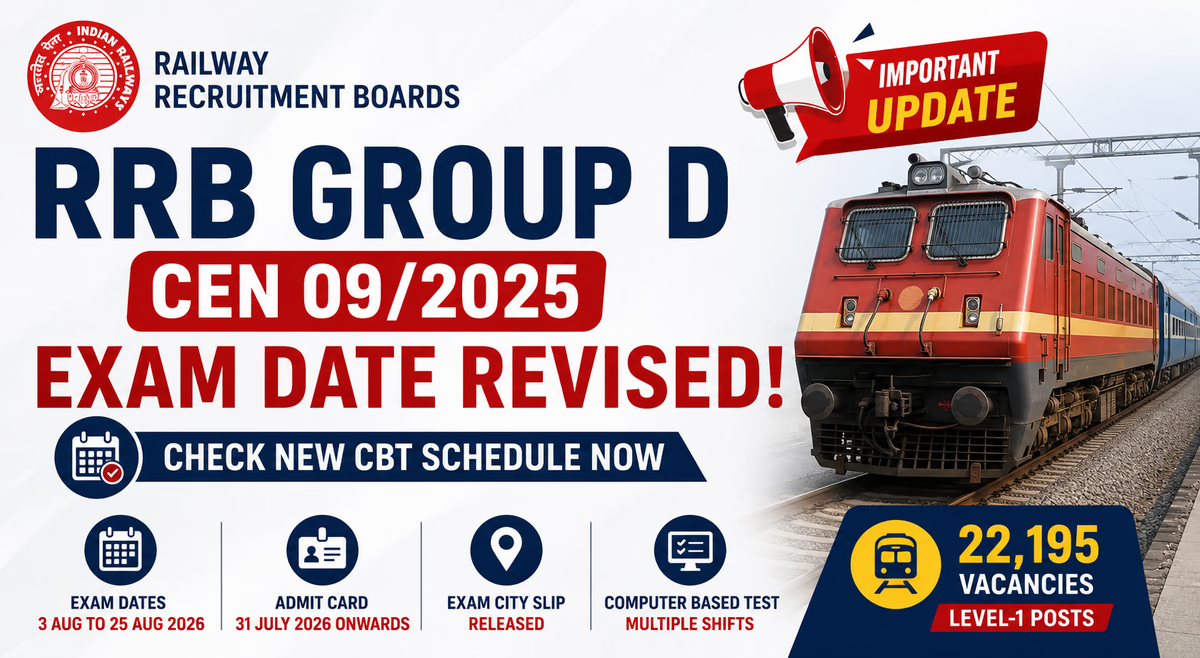
The Railway Recruitment Boards (RRBs) have officially revised the Computer Based Test (CBT) schedule for RRB Group D Recruitment under CEN 09/2025. Candidates who applied for 22,195 Level-1 vacancies should note the updated examination schedule and admit card release dates. The CBT examination will now be conducted from 3 August 2026 to 25 August 2026 across multiple shifts and exam centres throughout India.
| Particulars | Details |
|---|---|
| Organization | Railway Recruitment Boards (RRBs) |
| Advertisement No. | CEN 09/2025 |
| Post Name | Group D (Level-1 Posts) |
| Total Vacancies | 22,195 |
| Exam Mode | Computer Based Test (CBT) |
| Exam Dates | 3 August to 25 August 2026 (Revised) |
| Admit Card Release | 31 July 2026 onwards |
| Official Website | rrbapply.gov.in |
As per the latest revised notice, CBT will be conducted on the following dates:
3, 4, 5, 6 August 2026
9, 10, 11, 12, 13, 14 August 2026
17, 18, 19, 20, 21 August 2026
25 August 2026
The revised schedule adds 25 August 2026 as an additional examination day. The CBT will be conducted in three shifts daily.
| Old Schedule | Revised Schedule |
|---|---|
| 3 August – 21 August 2026 | 3 August – 25 August 2026 |
| No Exam on 25 August | Additional CBT on 25 August |
RRB has started releasing admit cards in phases. Candidates can download their hall tickets through their respective regional RRB websites.
The Exam City Intimation Slip has already been released for the initial examination dates. Candidates can check:
RRB Group D Recruitment under CEN 09/2025 aims to fill 22,195 vacancies in various Level-1 posts including:
The recruitment process consists of:
Computer Based Test (CBT)
Physical Efficiency Test (PET)
Document Verification
Medical Examination
| Subject | Questions |
|---|---|
| Mathematics | 25 |
| General Intelligence & Reasoning | 30 |
| General Science | 25 |
| General Awareness & Current Affairs | 20 |
| Total | 100 |
90 Minutes
1/3 mark deducted for each wrong answer.

The Institute of Banking Personnel Selection (IBPS) has released the short notification for IBPS Clerk Recruitment 2026 under CRP CSA-XVI for recruitment of Customer Service Associates (CSA) in participating public sector banks. The online application process will begin on 1 August 2026 and continue till 21 August 2026.
IBPS Clerk is one of the most popular banking examinations in India and offers candidates an opportunity to join leading public sector banks as Customer Service Associates.
| Particulars | Details |
|---|---|
| Organization | Institute of Banking Personnel Selection (IBPS) |
| Exam Name | IBPS Clerk 2026 |
| Post Name | Customer Service Associate (CSA) |
| Recruitment Process | CRP CSA-XVI |
| Application Mode | Online |
| Job Location | Across India |
| Official Website | ibps.in |
| Event | Date |
|---|---|
| Short Notification Release | July 2026 |
| Online Application Start | 1 August 2026 |
| Last Date to Apply | 21 August 2026 |
| Preliminary Exam | Expected October 2026 |
| Main Exam | Expected November/December 2026 |
The detailed state-wise and category-wise vacancy distribution will be released through the full notification.
Candidates should check the official notification for exact vacancy details once released.
| Criteria | Age |
|---|---|
| Minimum Age | 20 Years |
| Maximum Age | 28 Years |
Age relaxation will be applicable as per Government rules.
There is no interview stage for IBPS Clerk recruitment.
Total
Total marks and question distribution will be notified in the detailed notification.
The online registration process for the IBPS Clerk 2026 exam for Clerical cadre vacancies will start on 1st August 2026 at the official website www.ibps.in. For the ease of candidates, we will also provide a direct link below to apply online once it is activated at the official website. Candidates must keep important documents handy while completing the application form.

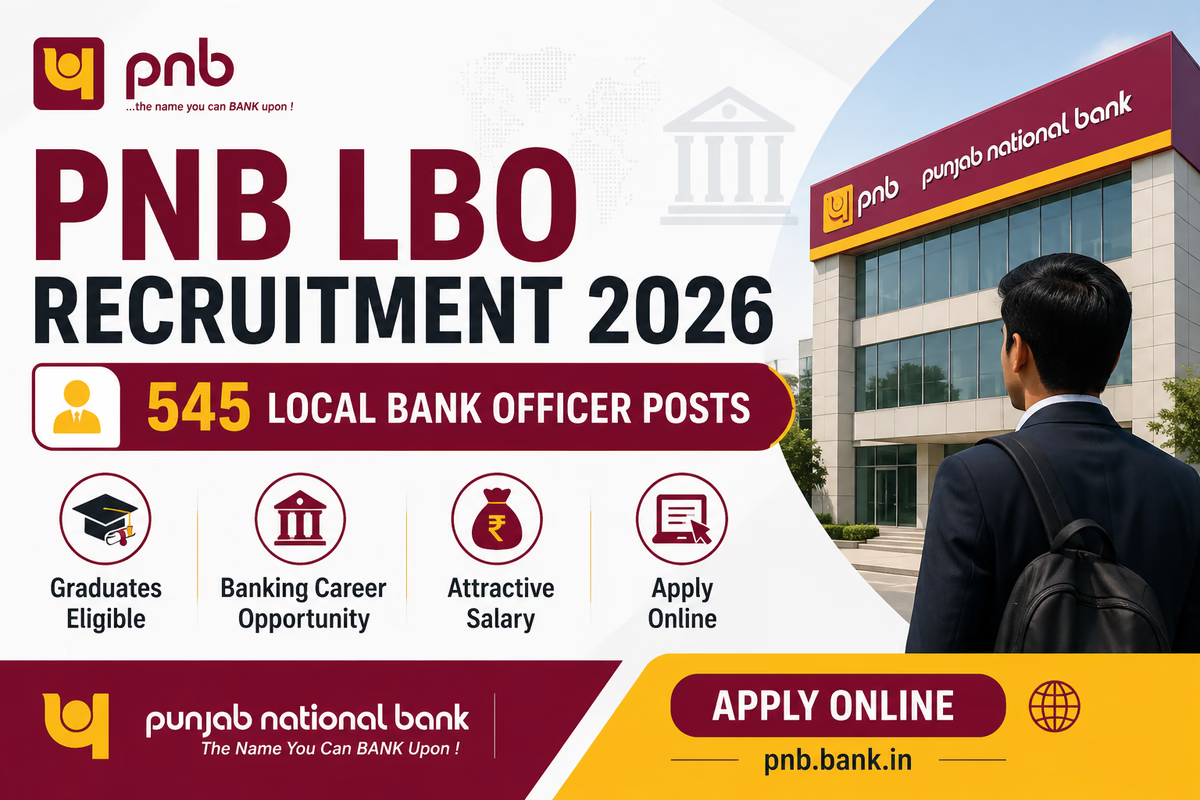
Punjab National Bank (PNB) has released the PNB Local Bank Officer (LBO) Recruitment 2026 Notification for 545 vacancies. Candidates looking for a career in the banking sector can apply online through the official PNB website within the prescribed dates. The recruitment aims to fill Local Bank Officer positions in various states across India.
This is an excellent opportunity for banking aspirants seeking a permanent Public Sector Bank job with attractive salary, allowances, and career growth opportunities.
| Particulars | Details |
|---|---|
| Organization | Punjab National Bank (PNB) |
| Post Name | Local Bank Officer (LBO) |
| Total Vacancies | 545 |
| Scale | JMGS-I |
| Application Mode | Online |
| Job Type | Banking |
| Job Location | Various States |
| Official Website | PNB |
| Event | Date |
|---|---|
| Notification Release | July 2026 |
| Online Application Start | July 2026 |
| Last Date to Apply | As per official notification |
| Fee Payment Last Date | Along with application |
| Online Examination | To be Announced |
| Interview | To be Announced |
Candidates should regularly check the official recruitment page for updates.
PNB has announced 545 Local Bank Officer vacancies. These vacancies are distributed across different states and categories as mentioned in the official notification.
Candidates should refer to the official PDF notification for the exact category-wise distribution of:
The total vacancies announced are 545.
Candidates must possess:
| Criteria | Age |
|---|---|
| Minimum Age | 20 Years |
| Maximum Age | 30 Years |
Age relaxation will be applicable for reserved categories as per Government norms.
| Category | Fee |
|---|---|
| General / OBC / EWS | As per notification |
| SC / ST / PwBD | As per notification |
Candidates should check the official notification for the latest fee details.
The selection process generally consists of:
PNB reserves the right to modify the selection process depending upon administrative requirements.
The online examination is expected to include:
Candidates should prepare according to the latest banking exam pattern.
The Local Bank Officer post is in JMGS-I Scale.
₹48,480 – ₹85,920
Additional benefits include:
The salary package makes it one of the attractive opportunities in the banking sector.
Candidates applying for a particular state must possess proficiency in the local language of that state. A Local Language Proficiency Test may be conducted during the recruitment process.
Official recruitment details are available on the PNB careers page.

Union Bank of India has officially released the Union Bank Recruitment Project 2026–27 for the recruitment of 395 Officer and Specialist Officer (SO) vacancies across various departments. The recruitment includes posts in both the General Banking Segment and Specialized Segment. Online applications are invited from eligible candidates from 21 July 2026 to 10 August 2026.
This is an excellent opportunity for candidates seeking a career in one of India's leading Public Sector Banks.
| Particulars | Details |
|---|---|
| Organization | Union Bank of India |
| Recruitment Name | Union Bank Recruitment Project 2026–27 |
| Post Name | Officer & Specialist Officer |
| Total Vacancies | 395 |
| Application Mode | Online |
| Online Application Starts | 21 July 2026 |
| Last Date to Apply | 10 August 2026 |
| Job Location | Anywhere in India |
| Official Website | Union Bank of India |
| Event | Date |
|---|---|
| Notification Release | 20 July 2026 |
| Online Registration Starts | 21 July 2026 |
| Last Date to Apply | 10 August 2026 |
| Last Date for Fee Payment | 10 August 2026 |
| Online Examination | To be Announced |
| Interview | To be Announced |
A total of 395 vacancies have been announced under different departments and grades. The recruitment covers:
| Category | Vacancies |
|---|---|
| Officer & Specialist Officer Posts | 395 |
Note: Detailed post-wise and category-wise vacancy distribution is available in the official notification annexures and may vary by grade and department.
The educational qualification varies according to the post.
Generally candidates should possess:
Candidates should check the official notification for post-specific eligibility requirements.
The age criteria differ according to the grade and post.
Generally the age range falls between:
Age relaxation is applicable as per Government of India rules.
| Category | Fee |
|---|---|
| General / OBC / EWS | ₹1180 |
| SC / ST / PwBD | ₹177 |
Payment mode: Online.
The selection process may consist of:
(Depending on the number of applications received)
(If conducted by the Bank)
The bank reserves the right to modify the selection methodology depending on requirements.
The online examination may include sections such as:
The final structure will be announced by Union Bank of India.
Selected candidates will be appointed in various scales such as:
Manager Level
Senior Manager Level
Chief Manager Level
Assistant General Manager Level
Deputy General Manager Level
Salary will be as per Bipartite Settlement along with:

The Indian Space Research Organisation (ISRO), Department of Space, Government of India, has released the ISRO Recruitment 2026 Notification for 242 vacancies of Assistant, Upper Division Clerk (UDC), Junior Personal Assistant (JPA), and Stenographer posts under the Centralised Recruitment Board (ICRB). Eligible graduates can apply online through the official ISRO website from 27 July 2026 to 16 August 2026.
This recruitment offers an excellent opportunity for candidates seeking a Central Government job in one of India's most prestigious scientific organizations.
| Particulars | Details |
|---|---|
| Organization | Indian Space Research Organisation (ISRO) |
| Department | Department of Space |
| Advertisement No. | ISRO:ICRB:01(A-JPA):2026 |
| Posts | Assistant, UDC, JPA, Stenographer |
| Total Vacancies | 242 |
| Application Mode | Online |
| Registration Starts | 27 July 2026 |
| Last Date to Apply | 16 August 2026 |
| Job Location | Across India |
| Official Website | ISRO |
| Event | Date |
|---|---|
| Notification Release | July 2026 |
| Online Application Start | 27 July 2026 |
| Last Date to Apply | 16 August 2026 |
| Last Date for Fee Payment | 16 August 2026 |
| Written Examination | To Be Announced |
| Skill Test | To Be Announced |
A total of 242 vacancies have been announced.
| Post Name | Vacancies |
|---|---|
| Assistant / Upper Division Clerk (UDC) | 150 |
| Junior Personal Assistant (JPA) / Stenographer | 92 |
| Total | 242 |
As on the closing date of application:
Age relaxation is applicable for reserved categories as per Government rules.
| Category | Fee Details |
|---|---|
| All Candidates | ₹500 Processing Fee |
| General/OBC/EWS | ₹100 Application Fee (after refund adjustment) |
| Women/SC/ST/PwBD/Ex-Servicemen | Full processing fee refund after appearing in exam |
The recruitment process consists of:
For JPA and Stenographer posts, stenography/skill tests will be conducted as prescribed.
Candidates should refer to the detailed notification for the final examination scheme. Based on previous ISRO recruitment patterns, objective-type questions are expected.
Candidates applying for JPA and Stenographer posts must qualify the stenography skill test in addition to the written examination. Skill test qualifying standards will be notified by ISRO.
Selected candidates will receive salary under Level 4 of the Pay Matrix.
Step 1: Visit the official ISRO website: www.isro.gov.in
Step 2: Navigate to the “Careers/Recruitment” section and locate Advt No. ISRO:ICRB:01(A-JPA):2026
Step 3: Read the detailed notification carefully to confirm eligibility for the post applied for
Step 4: Register with your basic details (name, email, mobile number)
Step 5: Log in and complete the online application form
Step 6: Upload scanned copies of photograph, signature, and required documents
Step 7: Pay the applicable processing fee online
Step 8: Submit the application before 16 August 2026
Step 9: Save/print the confirmation page for future reference

Looking to prepare for SSC, Banking, Railway, Insurance, CTET, CET, Stenographer, RPF, EPFO, AFCAT, CDS, and other competitive examinations?
Exam Insight Dadar is starting a new upcoming batch for aspirants who want structured preparation, expert guidance, regular mock tests, current affairs updates, and complete study support. Exam Insight offers preparation for Banking, Insurance, SSC, Railway and other government examinations through live classes, video lectures, mock tests, and study material.
✅ Live Interactive Classes
✅ Recorded Lectures for Revision
✅ PDF Notes & Study Material
✅ Topic-Wise Practice Sessions
✅ Mock Tests & Test Series
✅ Daily Current Affairs Updates
✅ Previous Year Question Practice
✅ Recruitment Alerts
✅ Performance Tracking
Learn from expert educators specializing in:
Exam Insight provides expert faculty, live classes, mock tests and study resources for competitive examinations.
Students receive:
Prepare anytime and anywhere with the Exam Insight learning platform and mobile app. The platform provides video lectures, mock tests and study material for competitive exam preparation.
Features Available:
📚 PDF Notes
🎥 Live Classes
📺 Recorded Lectures
📝 Mock Tests
📖 Previous Year Papers
📰 Current Affairs Updates
📢 Recruitment Notifications
📊 Performance Tracking
The Exam Insight platform offers live classes, video lectures, mock tests and study material for Banking, SSC, Insurance and Railway examinations.
📍 Dadar, Mumbai
Address:
Office No. 407, 4th Floor, Laxmi Commercial Building, Opposite Flower Market, Dadar West, Mumbai – 400028.
Convenient for students from:
Seats are limited for the upcoming batch. Join now and start your preparation with expert guidance, structured study plans, regular tests, and digital learning support.
📞 8779774040
Start your government exam preparation journey today with Exam Insight Dadar and move closer to your dream job.

The Institute of Banking Personnel Selection (IBPS) is set to close the online application process for IBPS Specialist Officer (SO) Recruitment 2026 on 21 July 2026. Candidates who meet the eligibility criteria and have not yet applied should complete their registration at the earliest to avoid last-minute issues. A total of 745 Specialist Officer vacancies have been announced under CRP SPL-XVI.
Interested candidates should complete their application process before 21 July 2026. After the deadline, no further applications will be accepted by IBPS.
For complete details including:
Read our detailed IBPS SO 2026 Recruitment article here: Click here

The Institute of Banking Personnel Selection (IBPS) is set to close the online application process for IBPS PO/MT Recruitment 2026 on 21 July 2026. Candidates who have not yet submitted their applications should complete the registration process as soon as possible to avoid last-minute issues. A total of 6,715 vacancies have been announced for Probationary Officer (PO) and Management Trainee (MT) posts across participating public sector banks.
Candidates holding a Graduation degree from a recognized university and meeting the prescribed age criteria can apply online through the official IBPS portal.
With only a short time remaining before the application window closes, interested candidates are advised to complete their registration and fee payment well before the deadline to avoid server issues and payment failures. The official IBPS website has also advised candidates not to wait until the last day due to heavy traffic.
For detailed information including:
Read our complete IBPS PO 2026 Recruitment Guide here: http://ipci.co.in/ibps-po-recruitment-2026-notification-out-apply-online-for-6715-posts/

National Insurance Company Limited (NICL), a Government of India undertaking, has released the NICL Assistant Recruitment 2026 Notification for 500 Assistant (Class III) vacancies across various states and union territories. The recruitment offers an excellent opportunity for graduates seeking a stable and rewarding career in the insurance sector.
The online application process has started from 18 July 2026 and eligible candidates can submit their applications until 07 August 2026.
| Particulars | Details |
|---|---|
| Organization | National Insurance Company Limited (NICL) |
| Post Name | Assistant (Class III) |
| Total Vacancies | 500 |
| Application Mode | Online |
| Registration Start Date | 18 July 2026 |
| Last Date to Apply | 07 August 2026 |
| Selection Process | Prelims, Mains, Regional Language Test |
| Job Location | Across India |
| Official Website | National Insurance Company Limited |
| Event | Date |
|---|---|
| Notification Release | July 2026 |
| Online Application Starts | 18 July 2026 |
| Last Date to Apply | 07 August 2026 |
| Fee Payment Last Date | 07 August 2026 |
| Prelims Exam | To be Announced |
| Mains Exam | To be Announced |
A total of 500 vacancies have been announced. State-wise and category-wise vacancies are provided in the official notification and candidates must apply for a specific state/UT.
Candidates must possess:
(As per notification)
Age relaxation is applicable for reserved categories as per Government rules.
| Category | Fee |
|---|---|
| SC/ST/PwBD/Ex-Servicemen | NIL |
| All Other Candidates | ₹850 |
The recruitment process consists of:
Candidates must qualify each stage to proceed further.
| Subject | Questions | Marks |
|---|---|---|
| English Language | 30 | 30 |
| Reasoning Ability | 35 | 35 |
| Quantitative Aptitude | 35 | 35 |
| Total | 100 | 100 |
| Subject | Questions | Marks |
|---|---|---|
| Reasoning | 40 | 50 |
| English Language | 40 | 50 |
| General Awareness | 40 | 50 |
| Quantitative Aptitude | 40 | 50 |
| Computer Knowledge | 40 | 50 |
| Total | 200 | 250 |

The Railway Recruitment Board (RRB) has released the RRB Section Controller Recruitment 2026 Notification (CEN 03/2026) for 119 vacancies. The recruitment offers an excellent opportunity for graduates seeking a prestigious career in Indian Railways. Selected candidates will be appointed as Section Controllers, a key operational role responsible for regulating train movement and ensuring smooth railway operations.
Candidates are advised to check the eligibility criteria, age limit, selection process, syllabus, vacancy details, salary structure, and application procedure before applying online.
| Particulars | Details |
|---|---|
| Organization | Railway Recruitment Board (RRB) |
| Notification Number | CEN 03/2026 |
| Post Name | Section Controller |
| Total Vacancies | 119 |
| Application Mode | Online |
| Pay Level | Level 6 |
| Initial Basic Pay | ₹35,400 |
| Educational Qualification | Graduation |
| Selection Process | CBT, CBAT, Document Verification & Medical Examination |
| Job Location | Across India |
| Event | Date |
|---|---|
| Online Application Start Date | 15 July 2026 |
| Last Date to Apply Online | 14 August 2026 |
| Last Date for Fee Payment | 16 August 2026 |
| Application Correction Window | 17 August to 26 August 2026 |
| Category | Vacancies |
|---|---|
| UR | 48 |
| SC | 18 |
| ST | 10 |
| OBC | 25 |
| EWS | 18 |
| Total | 119 |
Candidates must possess:
Candidates should ensure they possess the required qualification before the closing date of application.
| Criteria | Age |
|---|---|
| Minimum Age | 20 Years |
| Maximum Age | 33 Years |
Age relaxation is applicable for reserved categories as per Government of India rules.
| Post | Pay Level | Initial Basic Pay |
|---|---|---|
| Section Controller | Level 6 | ₹35,400 |
In addition to the basic pay, candidates will receive:
The recruitment process consists of the following stages:
Candidates must qualify the CBT to be shortlisted for the next stage.
Shortlisted candidates will appear for the CBAT.
Verification of educational certificates and supporting documents.
Candidates must satisfy the prescribed railway medical standards.
| Subject | Questions |
|---|---|
| Analytical & Mathematical Capability | 60 |
| Logical Capability | 20 |
| Mental Reasoning | 20 |
| Total | 100 |
The Computer Based Aptitude Test evaluates:
Medical Category: A-2
Candidates must satisfy:
Candidates should refer to the official notification for complete medical standards.

The Railway Recruitment Board (RRB) has officially released the RRB Technician Recruitment 2026 Notification (CEN 02/2026) for 6,557 vacancies across India. The recruitment drive includes Technician Grade-I Signal and Technician Grade-III posts in various railway zones and production units. The online application process has commenced from 30 June 2026 and eligible candidates can apply until 29 July 2026.
This recruitment presents an excellent opportunity for ITI holders, diploma holders, engineering graduates, and science graduates seeking a stable and prestigious career in Indian Railways.
| Particulars | Details |
|---|---|
| Organization | Railway Recruitment Board (RRB) |
| Notification Number | CEN 02/2026 |
| Post Name | Technician Grade-I Signal & Technician Grade-III |
| Total Vacancies | 6,557 |
| Application Mode | Online |
| Online Application Starts | 30 June 2026 |
| Last Date to Apply | 29 July 2026 |
| Job Location | Across India |
| Selection Process | CBT, Document Verification & Medical Examination |
| Official Website | rrbapply.gov.in |
The Railway Recruitment Board has announced a total of 6,557 vacancies. Out of these:
| Post Name | Vacancies |
| Technician Grade-I Signal | 323 |
| Technician Grade-III | 6,234 |
| Total | 6,557 |
| Post | UR | SC | ST | OBC | EWS | Total |
|---|---|---|---|---|---|---|
| Technician Grade-I Signal | 120 | 50 | 37 | 84 | 32 | 323 |
| Technician Grade-III | 2608 | 959 | 560 | 1481 | 626 | 6234 |
| Grand Total | 2728 | 1009 | 597 | 1565 | 658 | 6557 |
| Event | Date |
| Notification Release | 29 June 2026 |
| Apply Online Starts | 30 June 2026 |
| Last Date to Apply | 29 July 2026 |
| Last Date for Fee Payment | 31 July 2026 |
| Application Correction Window | 01 August to 10 August 2026 |
Candidates should possess:
Candidates should possess:
| Subject | Questions |
|---|---|
| General Awareness | 10 |
| General Intelligence & Reasoning | 15 |
| Basic Computer Applications | 20 |
| Mathematics | 20 |
| Basic Science & Engineering | 35 |
| Total | 100 |
Duration: 90 Minutes
Negative Marking: 1/3 mark deducted for every incorrect answer.
| Subject | Questions |
|---|---|
| Mathematics | 25 |
| General Intelligence & Reasoning | 25 |
| General Science | 40 |
| General Awareness & Current Affairs | 10 |
| Total | 100 |
Duration: 90 Minutes
Negative Marking: 1/3 mark for every wrong answer.
(10th Standard Level)
Age relaxation is applicable as per Government of India rules.
The selection process includes:
Candidates must qualify each stage to secure final selection.
| Post | Pay Level | Initial Basic Pay |
| Technician Grade-I Signal | Level-5 | ₹29,200 |
| Technician Grade-III | Level-2 | ₹19,900 |
Apart from basic pay, candidates will receive DA, HRA, TA, medical facilities and other Railway allowances as per rules.
Candidates are advised to read the official notification carefully before submitting the application form.

The Institute of Banking Personnel Selection (IBPS) has officially released the IBPS SO CRP SPL-XVI Notification 2026 for 745 Specialist Officer (SO) vacancies in participating public sector banks. The recruitment is conducted for various specialist posts including IT Officer, Agricultural Field Officer, Law Officer, HR/Personnel Officer, Marketing Officer, and Rajbhasha Adhikari.
| Particulars | Details |
|---|---|
| Organization | Institute of Banking Personnel Selection (IBPS) |
| Exam Name | IBPS SO CRP SPL-XVI |
| Post Name | Specialist Officer (Scale-I) |
| Total Vacancies | 745 |
| Application Mode | Online |
| Selection Process | Prelims, Mains, Interview |
| Job Location | Across India |
| Official Website | IBPS |
| Event | Date |
|---|---|
| Notification Release | 30 June 2026 |
| Online Registration Starts | 01 July 2026 |
| Last Date to Apply | 21 July 2026 |
| Fee Payment Last Date | 21 July 2026 |
| Preliminary Exam | 29 August 2026 |
| Main Exam | 01 November 2026 |
| Interview | To Be Announced |
| Post Name | Vacancies |
|---|---|
| IT Officer (Scale I) | Available |
| Agricultural Field Officer (Scale I) | Available |
| Rajbhasha Adhikari (Scale I) | Available |
| Law Officer (Scale I) | Available |
| HR/Personnel Officer (Scale I) | Available |
| Marketing Officer (Scale I) | Available |
| Total | 745 |
The detailed notification states that vacancies are indicative and may vary depending on participating bank requirements.
Candidates should have been born between 02 July 1996 and 01 July 2006 (both dates inclusive). Age relaxation is applicable as per Government rules.
| Category | Fee |
|---|---|
| General / OBC / EWS | ₹850 |
| SC / ST / PwBD | ₹175 |
Selected candidates will be appointed as Scale-I Officers in participating public sector banks.
Additional benefits include:
✅ Dearness Allowance (DA)
✅ House Rent Allowance (HRA)
✅ Medical Benefits
✅ Leave Travel Concession
✅ Pension & Retirement Benefits
The selection process consists of:
Final selection is based on Mains Examination and Interview scores.
| Subject | Questions | Marks |
|---|---|---|
| English Language | 50 | 25 |
| Reasoning Ability | 50 | 50 |
| Quantitative Aptitude | 50 | 50 |
| Total | 150 | 125 |
| Subject | Questions | Marks |
|---|---|---|
| English Language | 50 | 25 |
| Reasoning Ability | 50 | 50 |
| General Awareness | 50 | 50 |
| Total | 150 | 125 |
The Mains Examination consists of Professional Knowledge related to the post applied for.
| Post | Questions | Marks |
|---|---|---|
| IT Officer | 60 | 60 |
| Agricultural Field Officer | 60 | 60 |
| Law Officer | 60 | 60 |
| HR/Personnel Officer | 45 | 60 |
| Marketing Officer | 45 | 60 |
| Rajbhasha Adhikari | Objective + Descriptive |
Questions will be asked from the candidate's specialized field (IT, Law, Agriculture, HR, Marketing or Rajbhasha).
The application window remains open from 01 July 2026 to 21 July 2026.

The Institute of Banking Personnel Selection (IBPS) has officially released the IBPS PO/MT CRP-XVI Recruitment 2026 Notification for 6,715 vacancies of Probationary Officer (PO) and Management Trainee (MT) in participating public sector banks across India. Online applications will be accepted from 01 July 2026 to 21 July 2026.
| Particulars | Details |
|---|---|
| Organization | Institute of Banking Personnel Selection (IBPS) |
| Exam Name | IBPS PO/MT CRP-XVI |
| Post Name | Probationary Officer (PO) / Management Trainee (MT) |
| Total Vacancies | 6,715 |
| Application Mode | Online |
| Job Location | Across India |
| Selection Process | Prelims, Mains, Interview |
| Official Website | IBPS |
| Event | Date |
|---|---|
| Notification Release | 30 June 2026 |
| Apply Online Start | 01 July 2026 |
| Last Date to Apply | 21 July 2026 |
| Fee Payment Last Date | 21 July 2026 |
| Prelims Exam | 22 & 23 August 2026 |
| Mains Exam | 04 October 2026 |
| Interview | To Be Announced |
A total of 6,715 vacancies have been announced for recruitment in participating public sector banks through the CRP PO/MT-XVI process.
Candidates must possess:
Candidates appearing in the final year whose results are not declared are not eligible.
Candidates should have been born between the dates prescribed in the official notification. Age relaxation is applicable as per Government rules.
| Category | Fee |
|---|---|
| General / OBC / EWS | ₹850 |
| SC / ST / PwBD | ₹175 |
Fee details should be verified from the official notification before applying.
Selected candidates will be appointed in Junior Management Grade Scale-I (JMGS-I).
The pay scale can reach approximately ₹85,920 with increments and allowances.
The IBPS PO selection process consists of:
Final selection is based on Mains Examination and Interview scores.
| Section | Questions | Marks |
|---|---|---|
| English Language | 30 | 30 |
| Quantitative Aptitude | 35 | 35 |
| Reasoning Ability | 35 | 35 |
| Total | 100 | 100 |
Duration: 60 Minutes
| Section | Questions | Marks |
|---|---|---|
| Reasoning & Computer Aptitude | 45 | 60 |
| Data Analysis & Interpretation | 35 | 60 |
| General Economy / Banking Awareness | 40 | 40 |
| English Language | 35 | 40 |
| Descriptive Test | 2 | 25 |
Total Marks: 225

.png) Exam Insight
Exam Insight UPSC
UPSC Government Exams
 Entrance Exams
 Exams Alerts
 Study Material